


Cancel/Modify Orders
Canceling/modifying an order means canceling/modifying the untraded portion of an order. You can cancel/modify an order in the following ways:
- Placing an order directly at the trading floor: You use the Cancel/Modify Order Form, and FPTS staff will enter the order into the system based on the information on your order form.
- Placing an order by telephone (applicable only to customers using a Token Card and registered for telephone trading). You must clearly state your cancellation/modification request to the FPTS staff regarding the order you want to cancel/modify.
- Placing an order via the Internet: You can perform this action on the EzTrade website or via the EzTrade mobile trading application
1. Cancel the Order on EzTrade
- Select Pending Order tab on the order-placing session


- Choose the order to cancel and put a check on the square button box in Cancel column and click Cancel.

- A pop-up dialogue with the confirming message “Do you want to cancel the selected orders?” will appear to ask if you want to proceed with your cancellation:

Note: Click OK to finish the canceling process, otherwise click No to abort.
2. Modify the Order on EzTrade
- Select Pending Order tab, choose the order to modify and put a check on the round button in Modify column and click Modify.


- You can modify either the price or quantity of the order (both fields cannot be modified in a single request). Click Confirm to proceed with the order.

3. Cancel/Modify the Order on EzTrade app
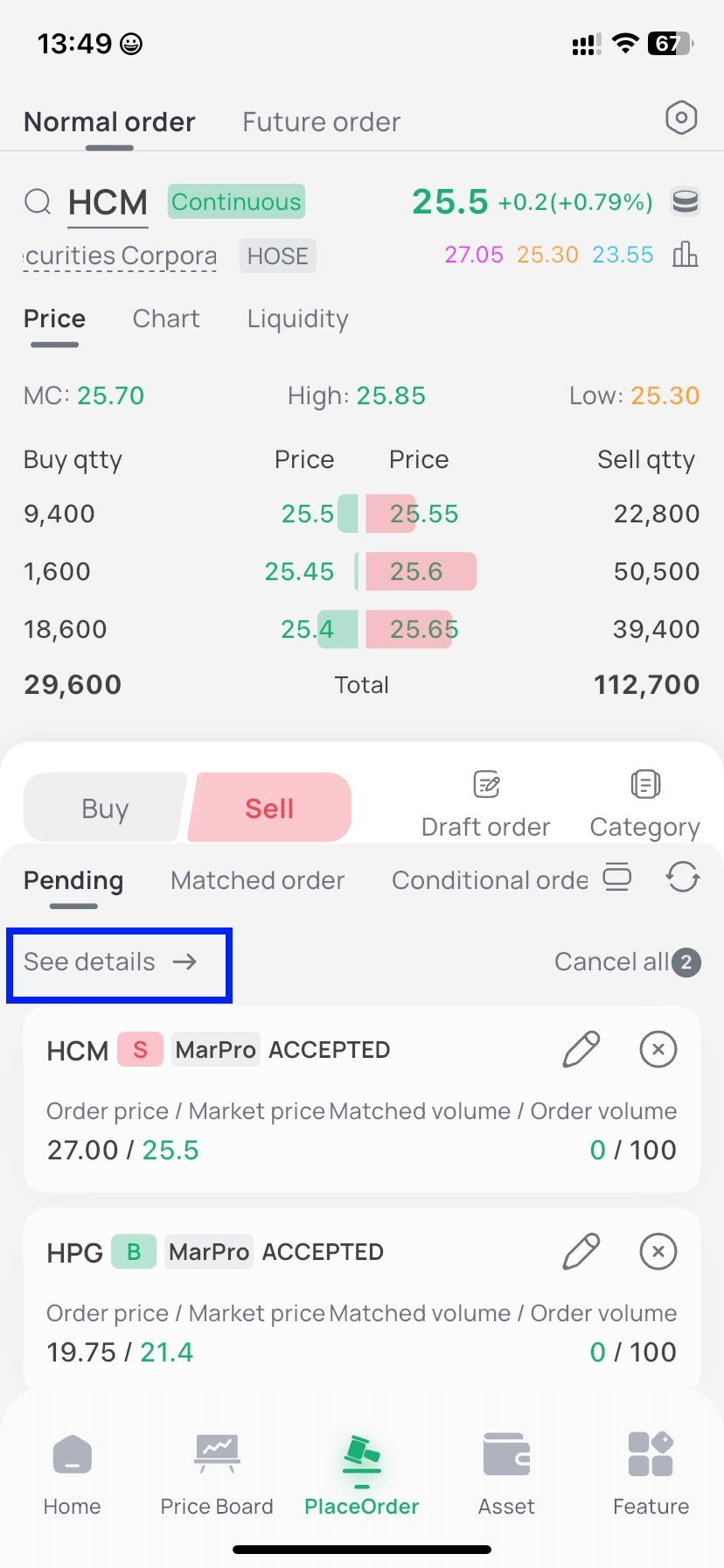
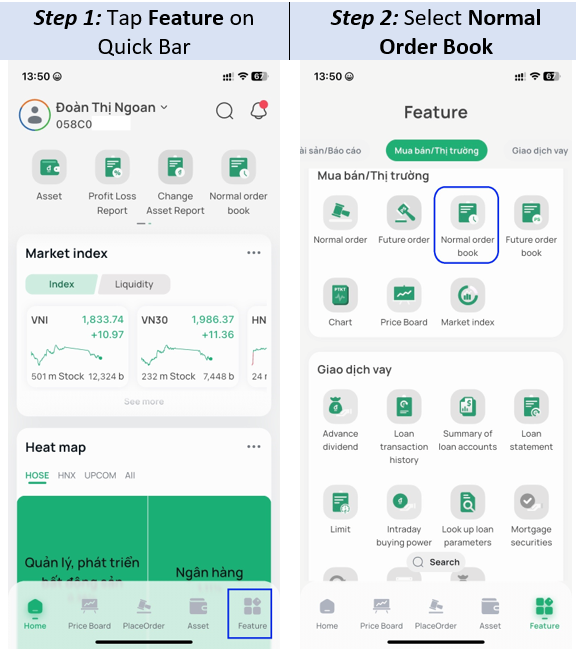
You can view details of your pending orders on the Place Order screen, or view them on the Base Order Book. You can open the order book in one of 2 ways:
* Method 1:
* Method 2:
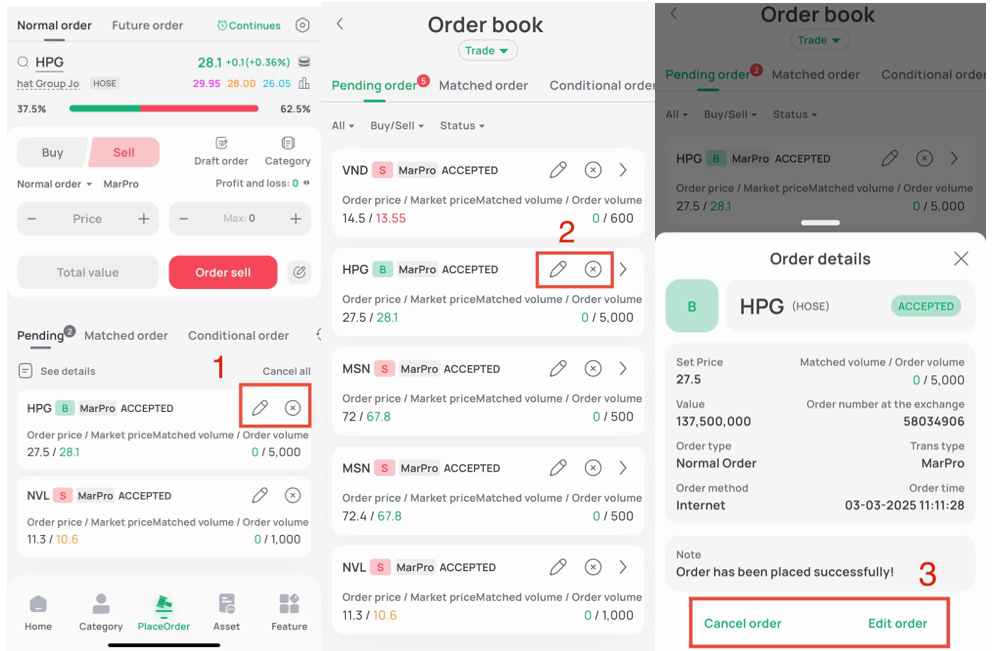
- Canceling/Modifying a pending order: You can cancel/modify an order from one of the following screens
Note: Button  is used to modify an order, and button
  is used to cancel an order
Note:
- Successfully submitting a cancellation/modification request does not mean that the order will be fully canceled/modified. The extent to which a cancellation/modification is executed depends on how much of the original order has already been matched at the time the cancellation/modification request reaches the Stock Exchange's system.
- To check the status of a cancellation/modification, select the Today's Orders tab.
- You cannot submit another cancellation/modification request for an order while a previous cancellation/modification request for that order is still being processed by the FPTS system.