


Placing Negotiated Orders
You can place put-through orders via the following methods:
- Placing orders directly at the physical trading floor: You fill out a Put-Through Buy/Sell Order Form, and FPTS staff will input the order into the system based on the information provided on the form.
- Placing orders via telephone: (applicable only to customers using a Token Card - a user authentication device): You need to clearly specify their intent to place a put-through order to the FPTS staff.
- Placing orders via the Internet: You can execute transactions directly on the EzTrade online trading website or via the EzTrade mobile trading application. This feature allows you to place a negotiated order (Agreement Order) online; the order is sent to the FPTS system for FPTS to confirm and forward to the Exchange.
* Instructions for placing orders on the EzTrade online trading website:
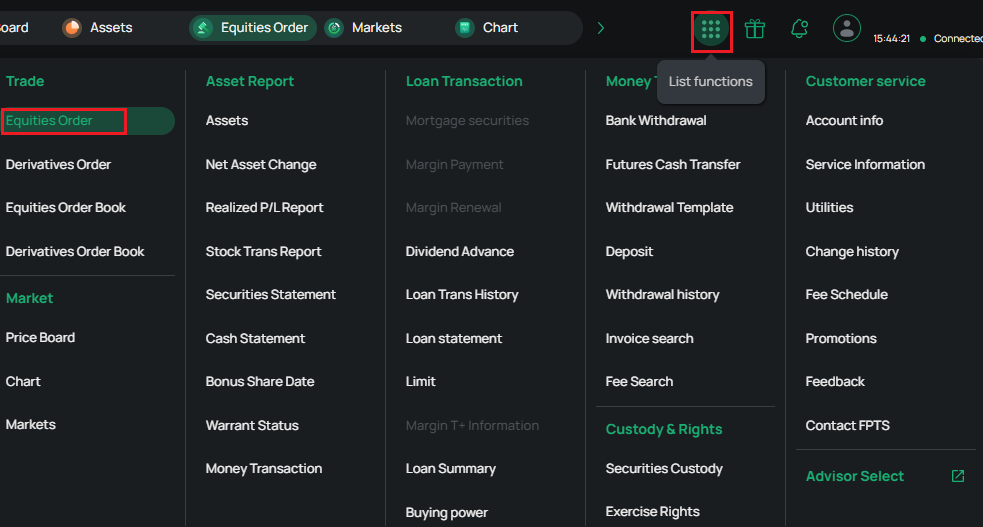
Step 1: Access the Feature List (or Menu) and select Equities Order Placement.
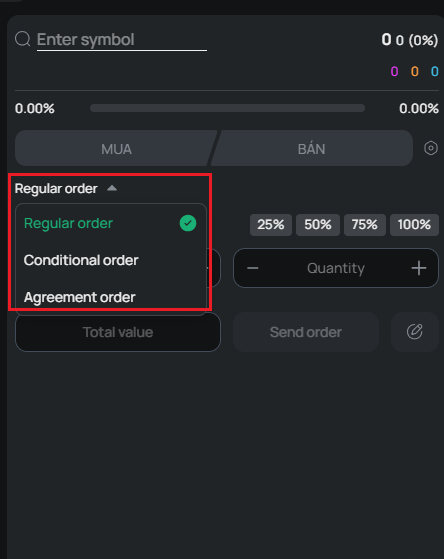
Step 2: On the Equities Order Placement screen, select the order type as Agreement Order.
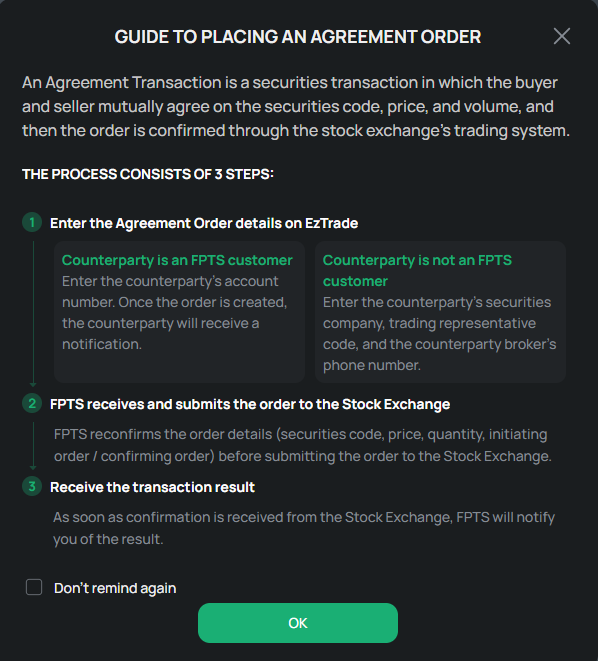
After selecting Agreement Order, a guidance screen for placing put-through orders will appear to provide the client with detailed instructions.
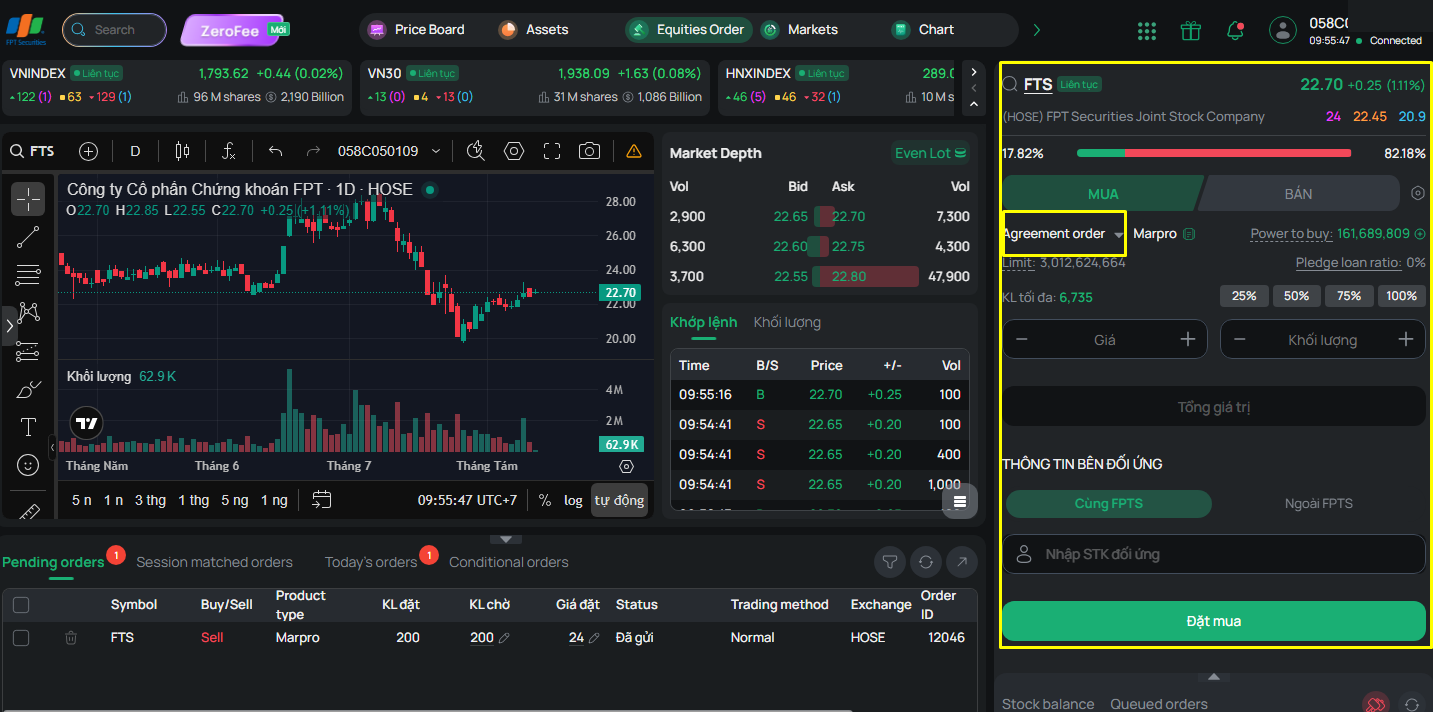
You must enter the following information:
- Securities symbol
- Buy/Sell type
- Margin type: Cash/Margin/MarginPro
- Price
- Volume: Must comply with the volume regulations for negotiated trading applicable to each exchange.
Note: For a Sell order of the Margin type: the total volume must comply with the volume regulations, and each contract record must comply with a volume step of 1.
- Counterparty information:
+ If the counterparty is a customer within FPTS:
- Select Within FPTS
- Enter the counterparty's account number at FPTS; the screen will display the (abbreviated) counterparty account name
+ If the counterparty is a customer outside FPTS:
- Select Outside FPTS
- Enter the counterparty's company (a list is provided for you to select the counterparty securities company) and a contact phone number, so FPTS can conveniently communicate with the counterparty when entering the order
Once the order is successfully placed, FPTS will reconcile, confirm, and forward it to the Stock Exchange. When the order has been successfully submitted to the Stock Exchange, you will receive a notification.