
- Stock Trading Guide
- Bond Trading Guide
- Derivatives Trading Guide
- EzTrade on Website
- EzTrade On Mobile Devices
- ETF Trading Guide
- Covered Warrant Trading Guide
- Securities Custody Guide
- Securities Trading Settlement
- Guide to Information Changes
- Guide to Corporate Actions
- Shareholding Management - EzLink
- Events Calendar
- Terms of Use
Account Information Changes
- Stock Trading Guide
- Bond Trading Guide
- Derivatives Trading Guide
- EzTrade on Website
- EzTrade On Mobile Devices
- ETF Trading Guide
- Covered Warrant Trading Guide
- Securities Custody Guide
- Securities Trading Settlement
- Guide to Information Changes
- Guide to Corporate Actions
- Shareholding Management - EzLink
- Events Calendar
- Terms of Use
To change the registered information or register services, foreign customers need to go to the FPTS Head Office, Branches or Transaction Offices to proceed with required procedures.
Customers need to bring with the following papers:

Once completed at FPTS, the information will be updated at the Vietnam Securities Depository (VSD).
In case you are an institutional customer, please contact the FPTS Customer Service Department for support.
For working hours at FPTS, please click here.
* On EzTrade
You access your Online Trading account - EzTrade. On the menu bar, click on "Service Management"

Select “Personal information” and click on “Modify”

You enter your personal information that needs to be changed. In case you change the information about your ID card/Citizen card, after entering your new Citizen card information, you click on the "Upload photo" to upload your photo to the system.
Note: The uploaded photo must be in JPEG, PNG, HEIC or HEIF format and not more than 5MB.

Then enter the OTP Code to Confirm.

1. Check Your Information
- Only domestic individual accounts are subject to the account identity verification requirement. The standardized information after a Citizen Identity Card/Identity Card (CCCD/ID) or identity change includes: full name, CCCD/ID number, date of birth, date of issue, place of issue, expiry date, and gender.
- If the information on your account does not match your CCCD/ID, please update your information on the Update CCCD/ID screen and complete the identity verification of your securities trading account
- If the information on your account already matches your CCCD/ID, please complete the identity verification of your securities trading account on the Electronic Identity Verification screen or Sign Electronic Contract.
2. Instructions for Updating Your CCCD/ID and Verifying the Identity of Your Securities Trading Account
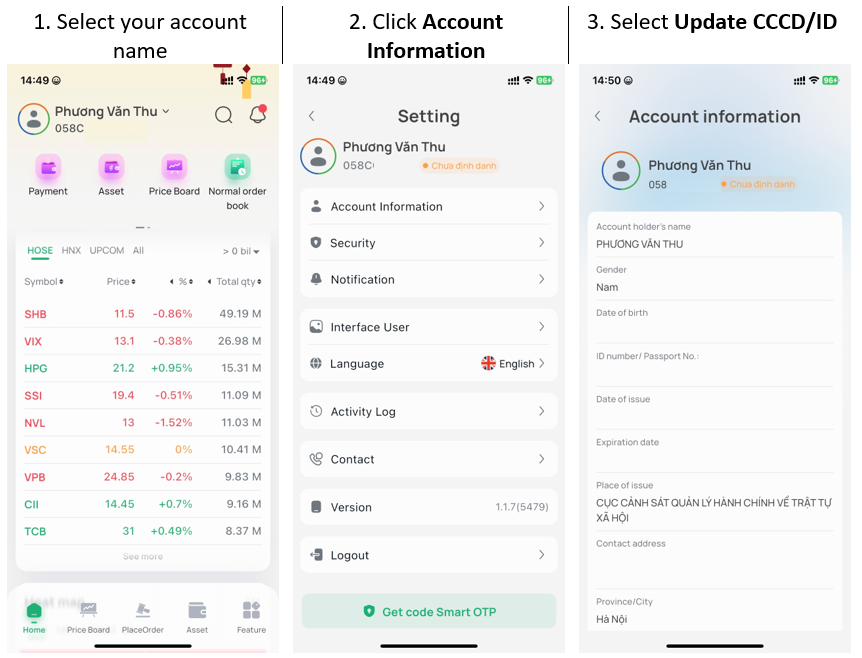
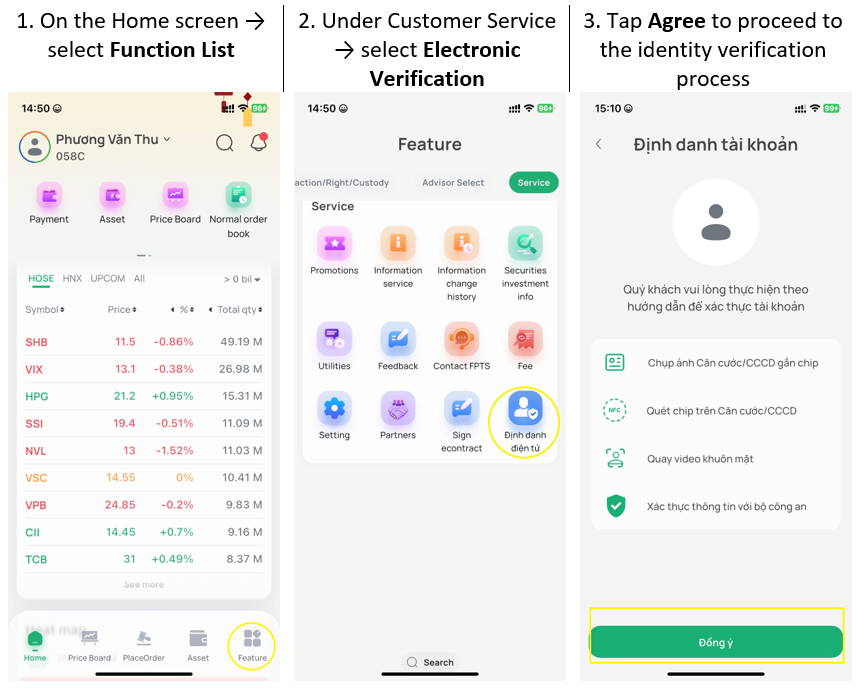
Step 1: Access the Identity Verification screen
+ Method 1: Access from the Account Information screen:
+ Method 2: Access from the Electronic Identity Verification screen:
Step 2: Take a photo, scan NFC, and record a face video
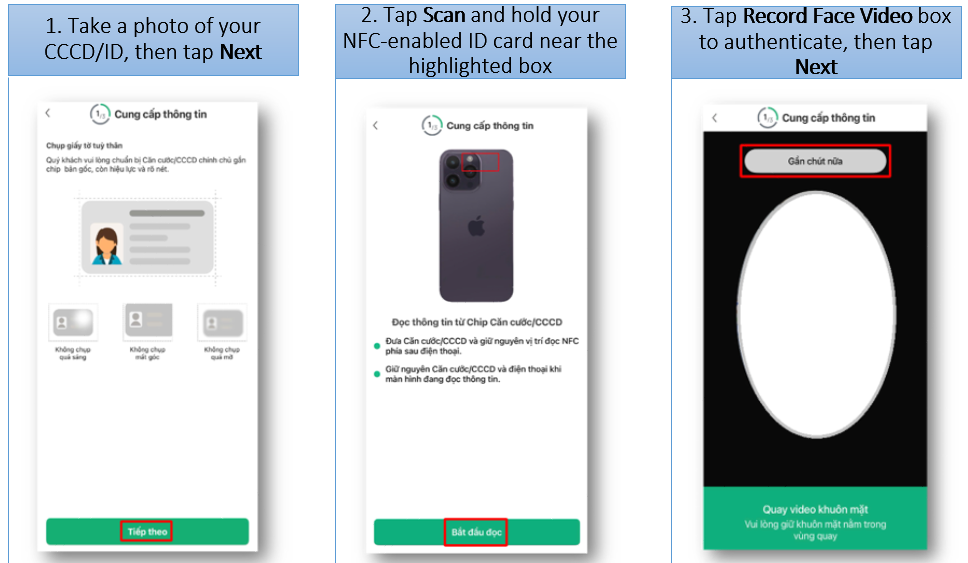
Note:
For an account opened via eKYC, you only need to perform the NFC scan when verifying your identity from the Electronic Identity Verification screen. If the CCCD/ID photo or face video does not meet the requirements, the system will ask you to try again.
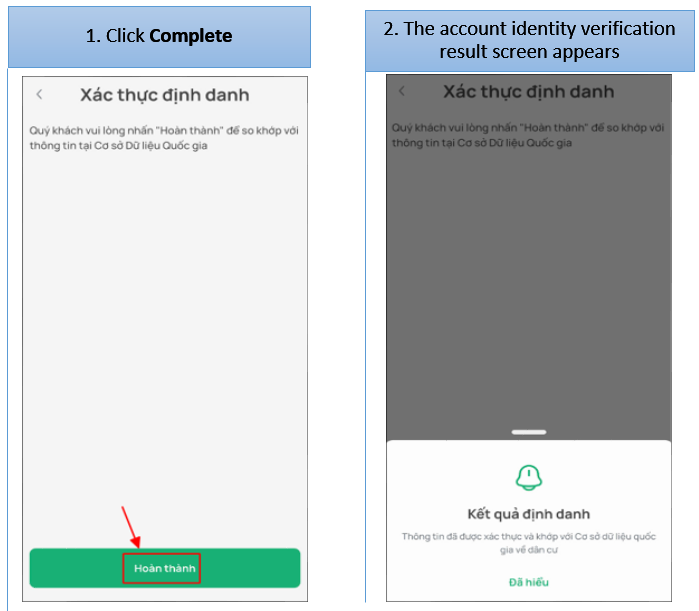
Step 3: Click Complete to finish the electronic identity verification process.