
- Stock Trading Guide
- Bond Trading Guide
- Derivatives Trading Guide
- EzTrade on Website
- EzTrade On Mobile Devices
- ETF Trading Guide
- Covered Warrant Trading Guide
- Securities Custody Guide
- Securities Trading Settlement
- Guide to Information Changes
- Guide to Corporate Actions
- Shareholding Management - EzLink
- Events Calendar
- Terms of Use
Change Information
- Stock Trading Guide
- Bond Trading Guide
- Derivatives Trading Guide
- EzTrade on Website
- EzTrade On Mobile Devices
- ETF Trading Guide
- Covered Warrant Trading Guide
- Securities Custody Guide
- Securities Trading Settlement
- Guide to Information Changes
- Guide to Corporate Actions
- Shareholding Management - EzLink
- Events Calendar
- Terms of Use
1
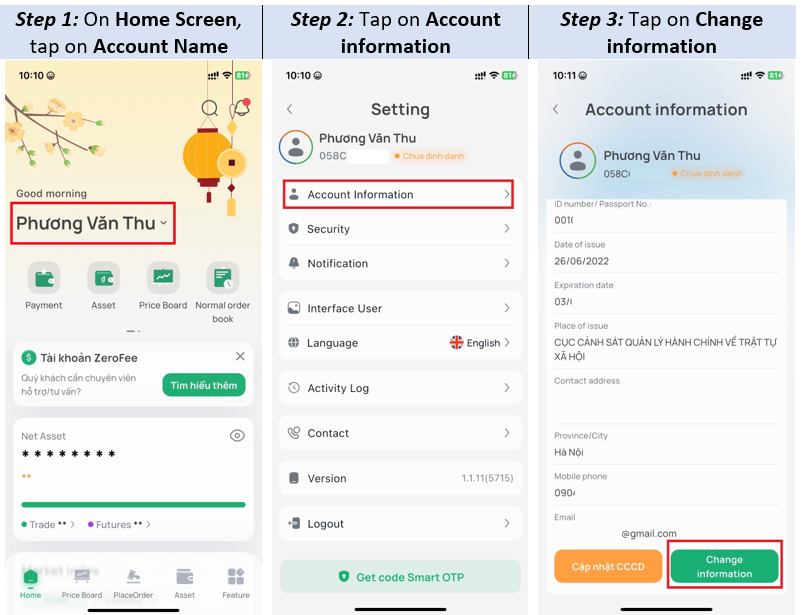
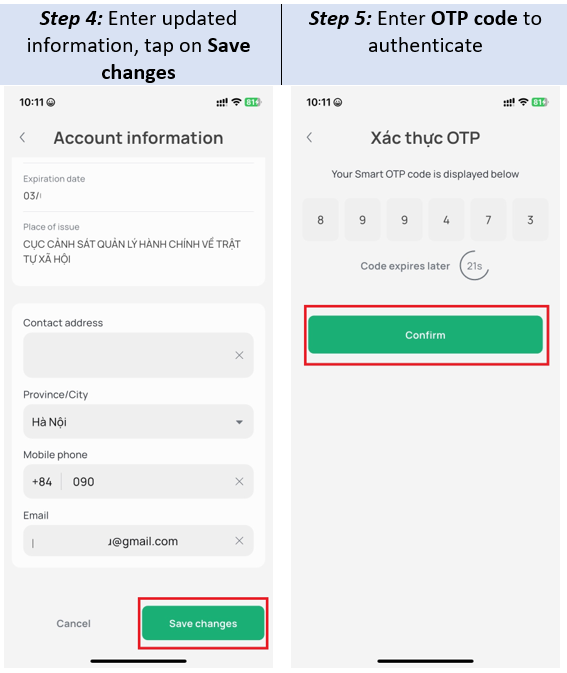
Update Personal Information
To update your personal information (ID Card, email, phone number, or contact address), please follow the instructions on the EzTrade app below:

2
Register/Cancel Services
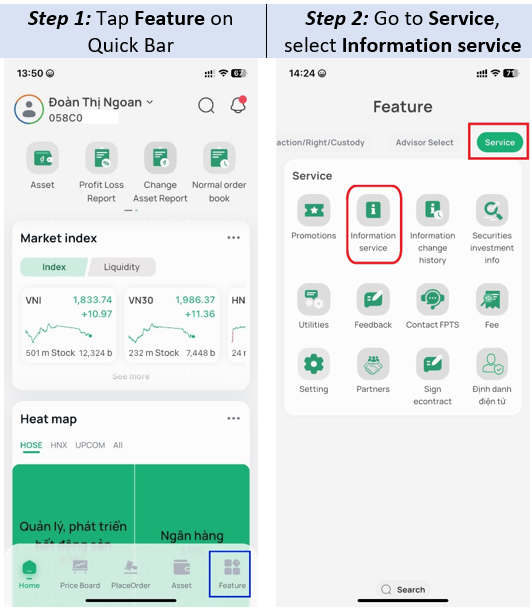
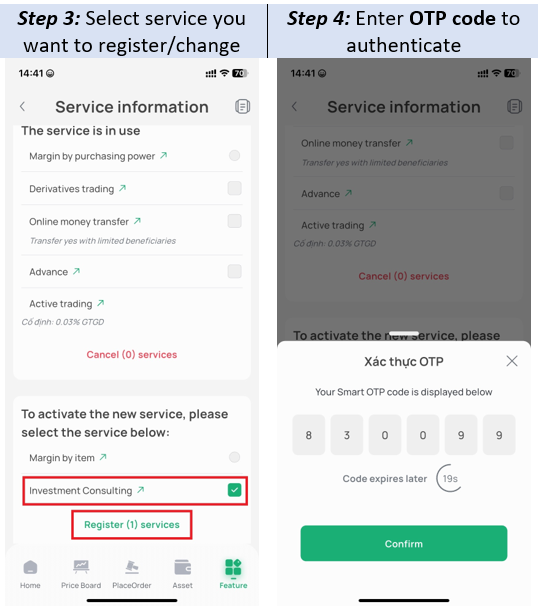
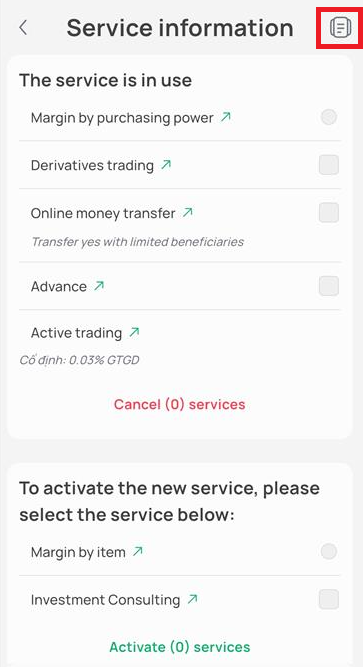
To register, modify, or cancel services (Derivatives Trading, Margin by Item (Per-loan Margin), Margin by Buying Power, Advance Payment, Investment Advisory and Self-Directed Trading), please follow the instructions on the EzTrade app below:
Note:
When registering for online services (excluding Cash Withdrawal/Transfer services), if you have not yet updated the new contract template, please choose one of the following two methods:
- Sign an electronic contract (eContract): Download and log in to the EzTrade app to sign the electronic contract by following the instructions at: eContract Signing Guide.
- Sign a hard-copy contract: Download the contract template below, print it out, sign and write your full name, then send it via express courier to FPTS's Head Office/Branches.
3
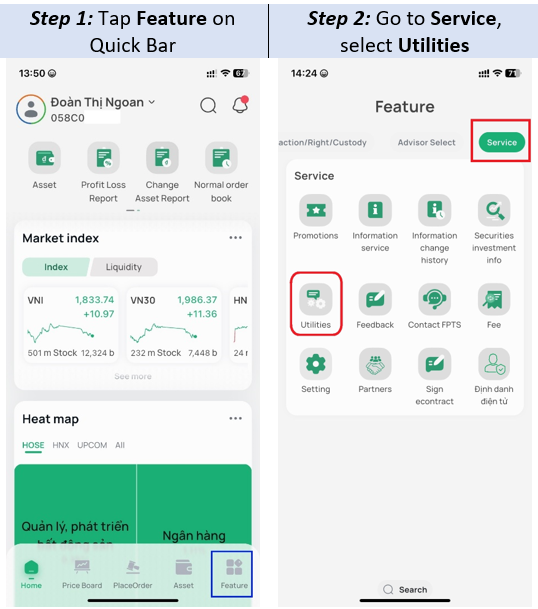
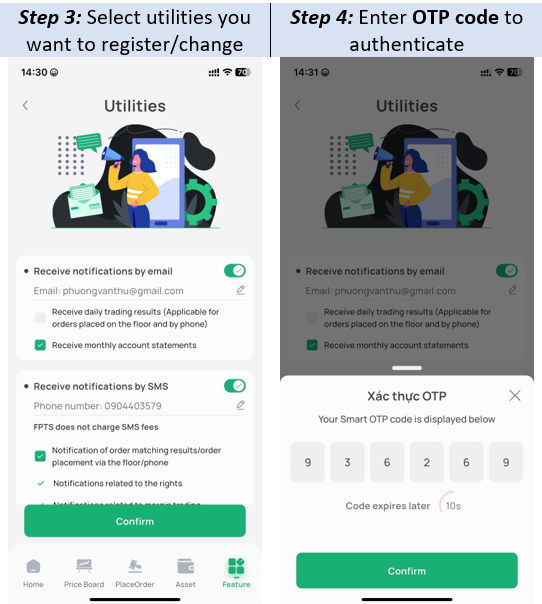
Change Utilities
To change your FPTS notification method (via email or phone number), please follow the instructions on the EzTrade app below: