


- Stock Trading Guide
- Bond Trading Guide
- Derivatives Trading Guide
- EzTrade on Website
- EzTrade On Mobile Devices
- ETF Trading Guide
- Covered Warrant Trading Guide
- Securities Custody Guide
- Securities Trading Settlement
- Guide to Information Changes
- Guide to Corporate Actions
- Shareholding Management - EzLink
- Events Calendar
- Terms of Use
Biometrics
- Stock Trading Guide
- Bond Trading Guide
- Derivatives Trading Guide
- EzTrade on Website
- EzTrade On Mobile Devices
- ETF Trading Guide
- Covered Warrant Trading Guide
- Securities Custody Guide
- Securities Trading Settlement
- Guide to Information Changes
- Guide to Corporate Actions
- Shareholding Management - EzLink
- Events Calendar
- Terms of Use
* Registration
- Conditions for successful biometric registration:
+ iPhone: Device must have available Face ID functionality.
+ Android phone: Device must have available Fingerprint functionality.
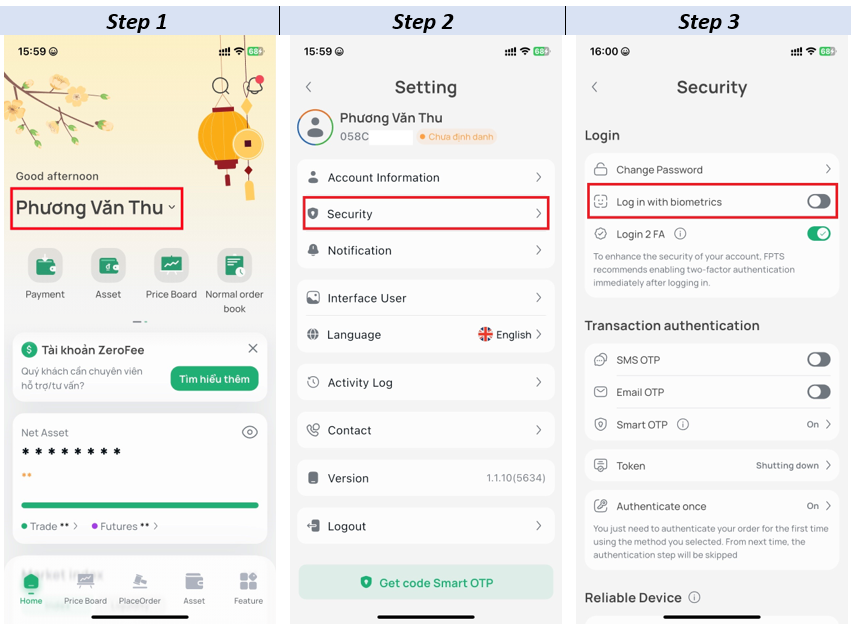
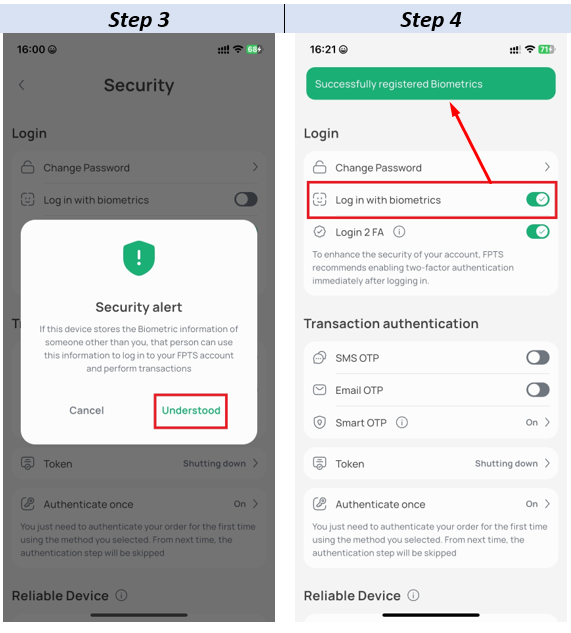
- How to register:
Log in to Account → Settings → Security → Select Login with Biometrics → Biometrics authentication to activate.
* Login
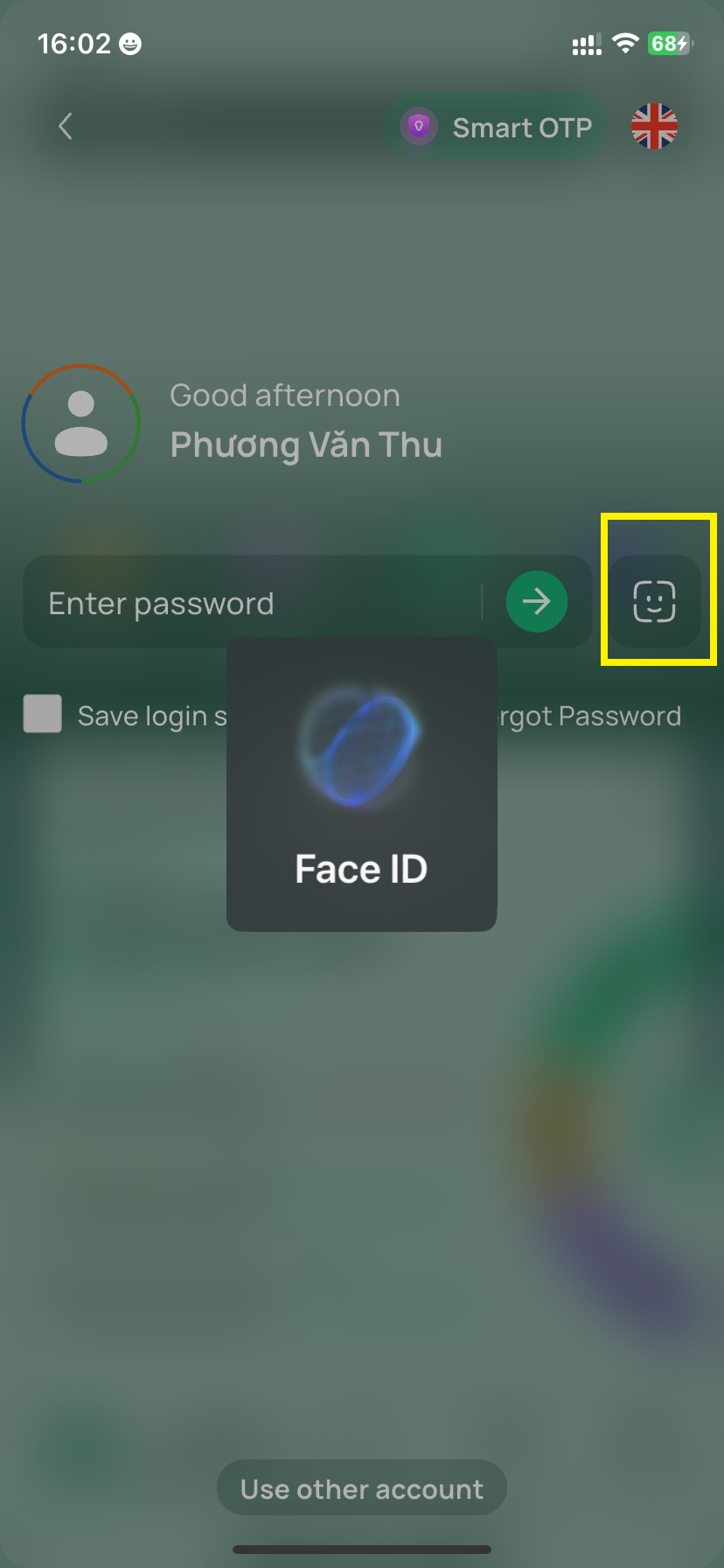
At the login screen, tap the Face ID/Fingerprint icon to log in using biometrics.
- Functions: Use Biometrics instead of PIN code when generating Smart OTP authentication code.
- Conditions: Can only be registered on devices that already have a PIN code setup for Smart OTP.
- How to register:
Log in to Account → Settings → Security → Manage Smart OTP → Tap Authenticate using Biometrics → Authenticate with PIN code + biometrics to activate this function.
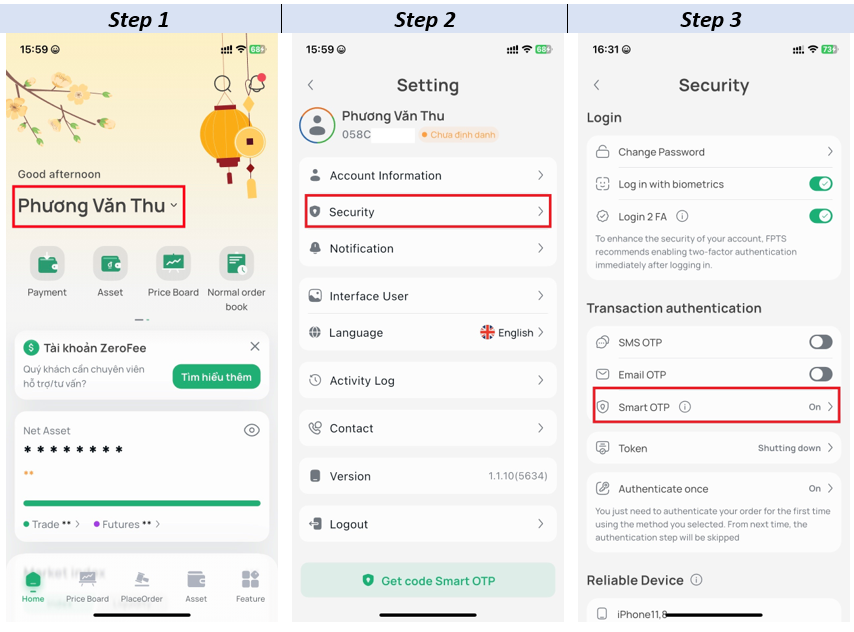
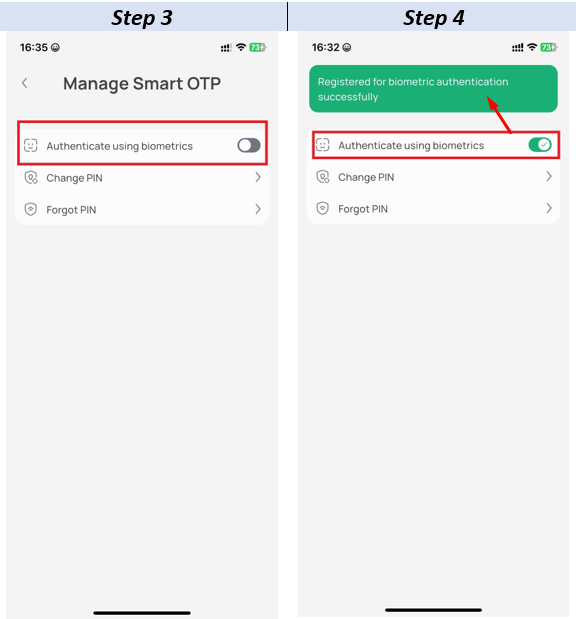
After successful registration, the Authenticate with Biometrics section will show a green checkmark.
Note: This Biometric Authentication replaces the PIN code, so this authentication method is saved only on that specific device.