


Online Depository Service
If you are unable to visit an FPTS Head Office, Branch or Transactions Office in person to complete the securities depository procedure, you may use the Online Depository feature and send the required hard-copy documents to FPTS via postal or courier service.
Step 1: Access your FPTS securities trading account
- Log in to the EzTrade website: https://new.eztrade.fpts.com.vn
- From the Function List, select Depository & Corporate Actions → Online Depository.
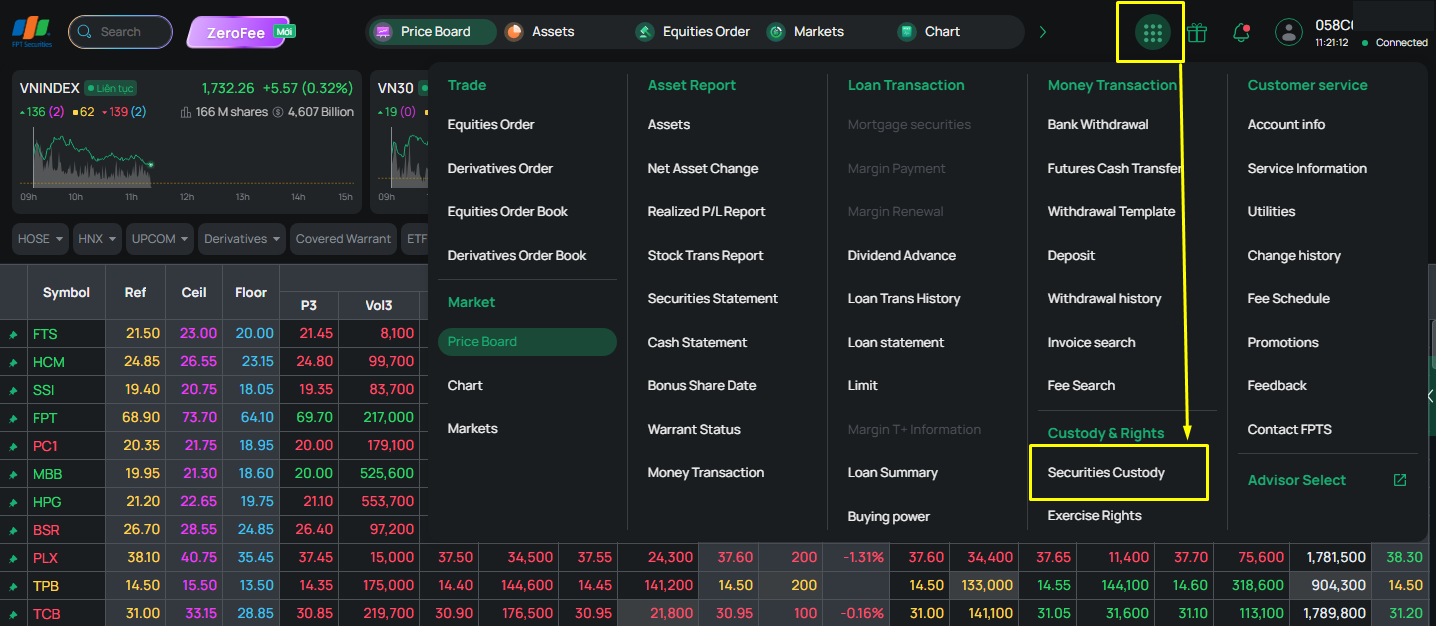
Step 2: Enter depository information
- Securities Symbol: Enter the symbol of the securities to be deposited. The system automatically displays the corresponding exchange and security name
- Quantity: Enter the total number of securities recorded on the Share Ownership Book/Certificate
- Enter the number of Dividend Shares and Bonus Shares, if applicable.
- Click Register.
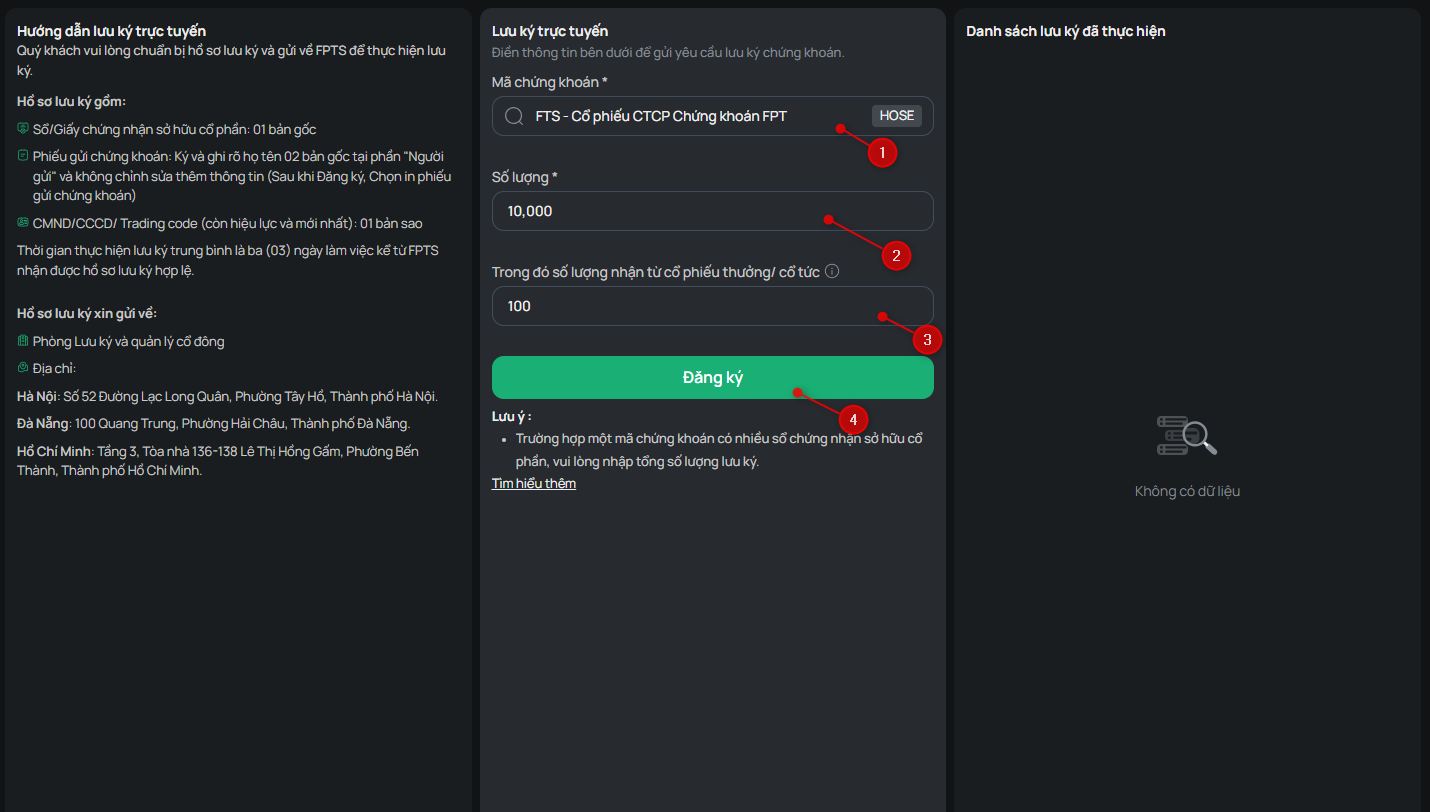
- Enter the OTP received via SMS, SmartOTP, or your Token Card, then click Confirm
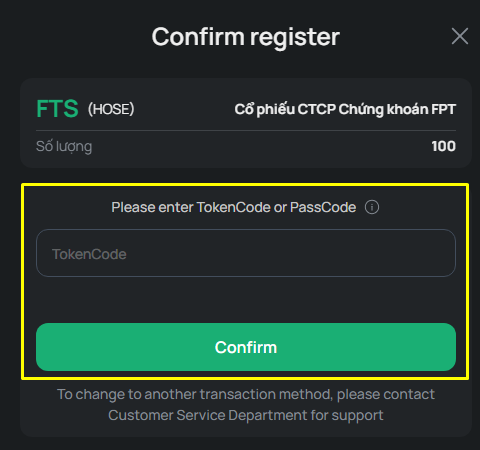
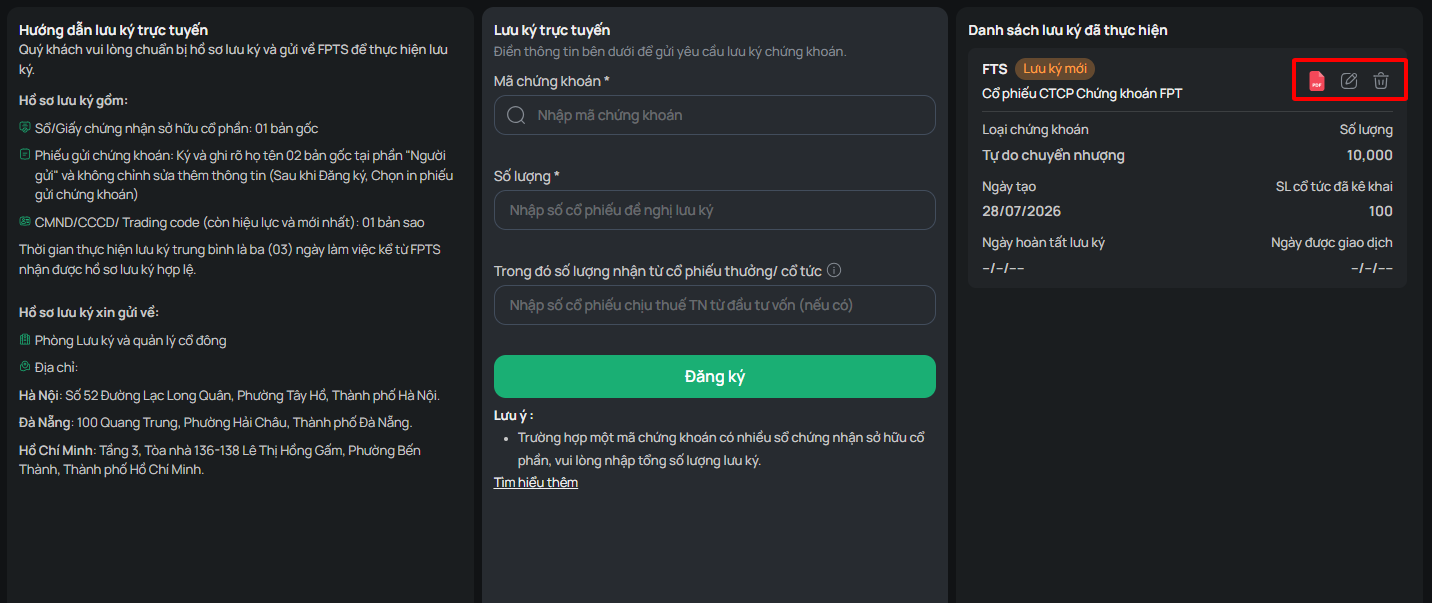
- Click Download Depository Slip to download the depository form
- The transaction is displayed in the “Depository History” section with the status “New Depository”
- You may click “Edit” to update the securities symbol or quantity, or “Delete” to remove the depository request
Step 3: Complete the depository document
- Under the corresponding depository transaction, click “Print Depository Slip”. The system automatically generates two copies of the “Depository Slip”
- Review the information on the “Depository Slip”, then sign and write your full name in the Depositor section. Institutional customers must also affix their company seal
Note: Do not add, modify or delete any information on the Depository Slip
Steps 4: Submit the depository documents to FPTS
- Prepare the following documents:
- Depository Slip: 02 original copies.
- Share Ownership book/Certificate: Original
- Identification documents:
- Individual customers: One copy of the Citizen Identity Card (CCCD)/Identity Card (ID)/Passport
- Institutional customer: One copy of the Enterprise Registration Certificate/Citizen Identity Card (CCCD)/Identity Card (ID)/Passport of the legal representative
- For the mailing address of the depository documents, please click here
Step 5: Complete the depository process
- After FPTS receives your valid depository documents, the transaction status changes from “New Depository” to “Pending Depository”
- If the depository request cannot be completed, the transaction status changes to Cancelled. FPTS will contact you and provide instructions for returning the Share Ownership Book/Certificate.
Once the depository process is completed, for securities already eligible for exchange trading, the transaction status changes to “Depository Completed”, for securities pending exchange trading, the transaction status changes to “Depository Completed – Pending Trading”. The deposited securities will then be credited to your securities trading account at FPTS.